Quick answer: The moment your phone gets wet: power it off immediately, do not charge it, remove the case and SIM tray, dry the exterior with a soft cloth, and get it to a repair technician within 24-48 hours. Do not use rice, a hairdryer, or an oven — these can push moisture deeper or cause heat damage. The biggest risk isn’t the water itself, but corrosion that develops over the following days if the device stays powered on or gets charged.
Need this sorted today? See our Mobile Repair Sharjah page, or contact us for a free diagnosis.
Step 1: Power Off Immediately
The single most important thing you can do in the first ten seconds after water exposure is turn the phone off. A powered-on device has live electrical current running through its circuit board, and water is an excellent conductor — meaning any moisture bridging two circuit points while the phone is on can cause a short circuit that damages components instantly. Simply switching the phone off (not just letting the screen go dark) stops this risk immediately.
If the phone has already turned itself off or the screen isn’t responding, don’t try to turn it back on to “check” if it’s fine. Leave it off until a technician can inspect it.
Step 2: Do Not Charge It
Never plug a wet phone into a charger, even briefly to “test” it. Charging pushes a higher current through the device, dramatically increasing the risk of a short circuit if any moisture remains inside — even moisture that isn’t visible from the outside. This is one of the most common (and most damaging) mistakes people make after a water spill or drop.
This applies to wireless charging pads too. Placing a wet phone on a wireless charger can be just as risky as a cable, since it still delivers current to the internal charging circuitry regardless of how the power is transmitted.
Step 3: Remove the Case, SIM Tray & Accessories
Take off any phone case, which can trap moisture against the body and slow evaporation. Eject the SIM tray using a SIM tool or paperclip — this both drains any water pooled in the tray slot and protects your SIM card from corrosion. If you use a MagSafe accessory, wireless charger, or any port-connected accessory, remove those too and let the ports air out.
If your phone uses a physical SIM, dry the tray and card separately with a cloth before setting them aside — a damp SIM card can sometimes cause connectivity issues even after the phone itself has recovered.
Step 4: Dry the Exterior Gently
Use a soft, absorbent cloth or paper towel to gently pat down the outside of the phone — don’t rub, and don’t shake it, as shaking can push water further into internal openings like the speaker grille or charging port. Stand the phone upright with the charging port facing down, resting on an absorbent surface, to help any trapped water drain out naturally over the next hour.
Avoid pressing on the screen or back panel during this process, and resist the urge to use compressed air on the ports — the pressure can force water further into the device instead of out of it.
Why Rice Doesn’t Actually Work
The rice trick is one of the most persistent pieces of tech folklore, but it’s largely a myth. Rice is not especially absorbent compared to purpose-made desiccants, and more importantly, it does nothing to address water that has already reached the logic board, battery connector, or display connector — the areas where corrosion actually causes lasting damage. Rice dust can also get into the charging port or speaker openings, creating a second problem on top of the first.
If you want a genuinely better stopgap than rice while you arrange a repair, silica gel packets (the kind found in shoeboxes or electronics packaging) placed in a sealed container with the phone are more effective — though this still won’t address any corrosion already forming internally, which is why it’s only a stopgap, not a substitute for professional inspection.
Why a Hairdryer or Oven Can Make Things Worse
Applying direct heat with a hairdryer, or worse, placing your phone in an oven or on a radiator, might seem like a fast way to “dry it out,” but heat causes two problems. First, it can warp the screen adhesive, plastic components, and battery casing. Second, and more dangerously, heat can cause any trapped water to evaporate into steam within sealed sections of the phone, pushing moisture into areas it hadn’t reached before, and increasing the risk of battery swelling.
Lithium-ion batteries are particularly sensitive to this kind of heat stress. A battery that was merely damp can become dangerously swollen after exposure to a hairdryer’s heat, turning a repairable water-damage case into a safety hazard.
What Really Happens Inside a Wet Phone
The visible water is the least of your concerns. The real danger is corrosion: once moisture — especially anything other than pure water, like sea water, coffee, or juice — contacts the copper traces and connectors on the logic board, an oxidation process begins. Left untreated, this corrosion spreads, eating away at circuit pathways over hours and days, which is why a phone can work perfectly the moment after a spill and stop working completely two days later.
Sugary or salty liquids accelerate this process significantly compared to plain water, which is why a coffee or juice spill often causes more lasting damage than an equivalent splash of tap water, even though both look similarly “wet” from the outside.
How Long You Have Before Corrosion Sets In
There’s no hard universal number, but as a rule of thumb, the first 24-48 hours are critical. A professional technician can open the device, disconnect the battery to eliminate any electrical risk, and clean the logic board with isopropyl alcohol and ultrasonic cleaning equipment to halt corrosion before it spreads. The longer a device sits closed up and untouched after water exposure, the more likely corrosion has already started affecting components that would otherwise have been fine.
This is also why powering the phone back on “just to check” is so risky — if corrosion has already begun bridging two contact points, applying power at that moment is often what causes the permanent short circuit, rather than the original water exposure itself.
Professional Water Damage Repair in Sharjah
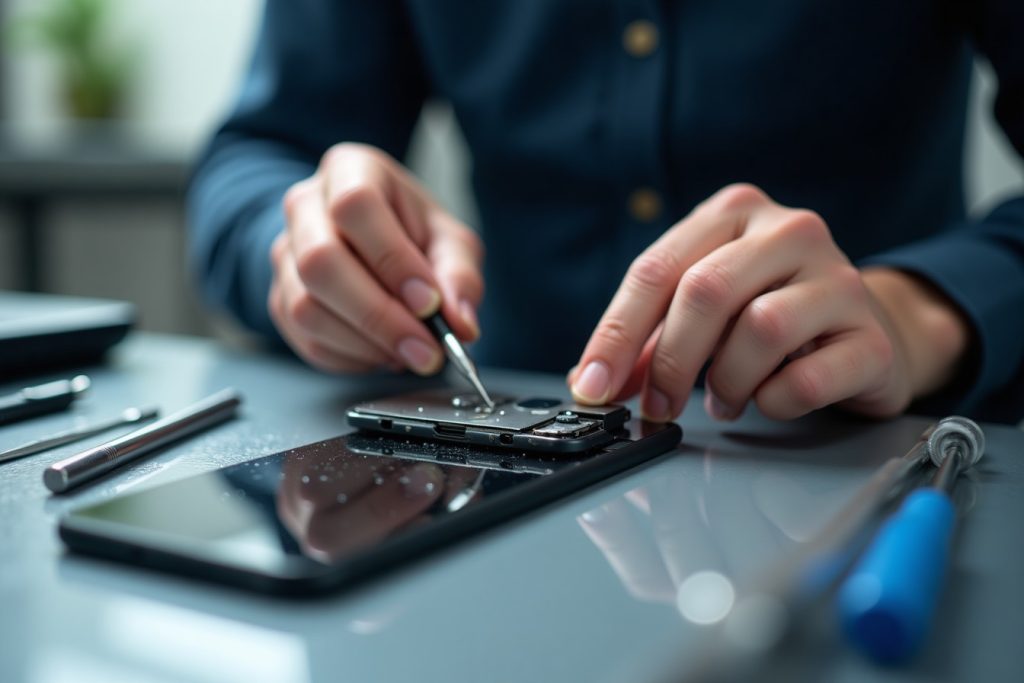
At our Sharjah service center, water damage repair starts with a full diagnostic: we open the device, disconnect the battery immediately, and inspect the logic board, connectors, and speaker/microphone assemblies for visible corrosion. Depending on the extent of exposure, treatment can range from an ultrasonic cleaning and drying process to component-level repair if specific parts (like the charging port or battery) have already been affected.
We’re upfront that not every water-damaged phone can be saved — this depends heavily on how quickly it’s brought in and what liquid was involved — but early action dramatically improves the odds of a full recovery.
Conclusion: Act in the First Hour, Not the First Day
The single biggest factor in whether a water-damaged phone survives is how you respond in the first few minutes: power off, don’t charge, remove accessories, dry gently, and get it to a technician quickly — skipping the rice, the hairdryer, and the temptation to power it back on “just to check.”
If your phone has been exposed to water, spilled liquid, or even heavy humidity, bring it in as soon as possible. Our Sharjah team can assess the extent of the damage, begin corrosion-prevention cleaning immediately, and give you an honest recovery outlook before any repair work begins.
Frequently Asked Questions
Should I turn my phone back on to check if it still works after it got wet?
No. Powering it on while any moisture remains inside increases the risk of a short circuit. Keep it off and bring it in for inspection instead.
Does putting a wet phone in rice actually help?
Not meaningfully. Rice isn’t an effective desiccant compared to silica gel, and it does nothing to prevent corrosion on the internal circuit board, which is the real cause of long-term damage.
How quickly should I get a water-damaged phone repaired?
Ideally within 24 to 48 hours. Corrosion begins forming on internal components soon after exposure, and the sooner a technician can clean and inspect the board, the better the chances of a full recovery.
Can a phone with water damage be fully repaired?
Often yes, especially with prompt action. Success depends on how much liquid entered the device, what type of liquid it was, and how long the phone was powered on or charged afterward.
Is water damage covered under phone warranty?
Most manufacturer warranties exclude liquid damage, even on phones marketed as water-resistant. Water-resistance ratings degrade over time and don’t guarantee protection against every scenario.