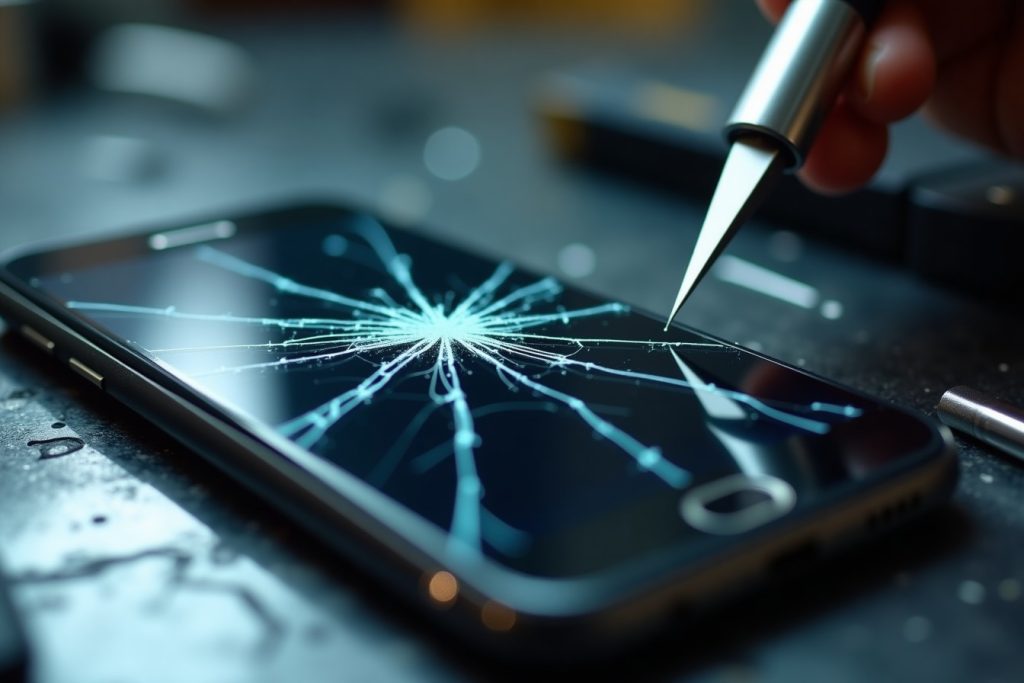
Quick answer: If your phone’s screen has spreading cracks, dead or discoloured patches, flickering lines, or spots that no longer respond to touch, a screen protector will not fix it. A protector only shields the glass surface from future scratches — it cannot repair a cracked digitizer, a damaged LCD/OLED panel, or a broken touch layer underneath. Once the display itself is compromised, a full screen replacement is the only permanent fix.
Need this sorted today? See our Mobile Repair Sharjah page, or contact us for a free diagnosis.
Why People Confuse Screen Protectors With Screen Repair
A tempered-glass or film protector is designed to absorb minor scratches and light impacts, sitting on top of your phone’s actual display. Many people assume that if the protector cracks, the phone underneath is fine — and often it is. But the confusion runs the other way too: once the real screen is cracked or malfunctioning, some people try slapping on a new protector hoping it will “hide” the problem or restore touch response. It won’t. A protector cannot repair glass, a digitizer, or the panel generating the image; it can only guard whatever is already working underneath.
Understanding the difference matters because it saves you money and frustration. Replacing a protector costs very little, while a full screen replacement is a proper repair job. Knowing which one you actually need starts with recognising the signs below.
Spiderweb Cracks That Keep Spreading
A single hairline crack from a drop might seem cosmetic at first, especially if the touchscreen still works. The problem is that phone glass is under constant mechanical stress — from your grip, your pocket, and everyday flexing. A crack that starts in one corner rarely stays put; it spreads a little further every day, sometimes turning into a full spiderweb within a week or two.
If you can see multiple crack lines fanning out from an impact point, or if the glass has separated into visible fragments, a protector will not stop the spread — it will only trap glass shards against your finger. At this stage, the outer glass (and often the digitizer beneath it) needs replacing.
Ghost Touch or Unresponsive Areas
“Ghost touch” is when your phone registers taps, swipes, or app openings that you never made — the screen seems to have a mind of its own. The opposite problem is just as common: certain zones of the display simply stop responding, no matter how hard or how often you tap them.
Both symptoms point to damage in the digitizer layer, the thin sensor grid that turns your finger’s touch into an on-screen action. This layer sits directly under the glass, so any hard impact that cracks the surface can also disturb the wiring beneath it. No protector sits between your finger and this internal layer, so no protector can fix it — the digitizer (usually replaced together with the glass as one assembly) needs to come out.
Discoloration, Dark Spots & Bleeding Pixels
Water exposure, pressure damage, or a hard drop can damage the display panel itself — the OLED or LCD layer that produces the actual image. Signs include dark or black blotches that don’t move, patches of unusual colour (often purple, green, or yellow tint), or thin lines of light “bleeding” from one edge of the screen.
These are panel-level faults, not surface faults, so no external accessory will correct them. Left alone, discoloured zones tend to expand over time as moisture or pressure damage continues to spread through the panel’s layers.
Flickering, Lines, or a Dimming Display
A screen that flickers when you tilt the phone, shows persistent vertical or horizontal lines, or seems to dim and brighten on its own (independent of your brightness settings) is usually signalling a loose or damaged display connector, or physical damage to the panel driver circuitry. This often happens after a drop that didn’t crack the glass but jolted the internal connections.
This kind of fault tends to get worse with heat, pressure, or time, and can eventually lead to the screen going completely black. It’s one of the clearest signs that the display module — not just the glass on top — needs professional attention.
Reduced Touch Sensitivity After a Drop
Sometimes there’s no visible crack at all, but after a drop you notice you have to tap harder than usual, or swipes feel slightly delayed or inaccurate. This is a subtler version of digitizer damage — the internal touch grid has been stressed just enough to reduce sensitivity without breaking outright.
It’s tempting to ignore this because the phone still “works,” but sensitivity issues almost always worsen. If a drop was involved, it’s worth having the screen tested professionally even if the glass looks intact.
Your Screen Protector Won’t Sit Flat Anymore
If a new screen protector keeps bubbling, lifting at the edges, or refusing to sit flush no matter how carefully you apply it, the glass underneath may be micro-cracked or slightly warped from impact — even if you can’t see obvious damage with the naked eye. A distorted surface prevents proper adhesion, and no amount of reapplying will solve it because the problem isn’t the protector.
Screen Protector vs Full Screen Replacement
It helps to think of these as two completely different repairs. A screen protector replacement takes minutes, costs very little, and only protects a screen that is already functioning correctly. A full screen replacement is a hardware repair: the technician removes the damaged display assembly (glass, digitizer, and often the OLED/LCD panel as one unit) and installs a new one, restoring both the touch response and the image quality.
As a simple rule: if the crack, discoloration, or malfunction affects how the screen looks or responds — not just how it feels to the touch — you’re looking at a replacement, not a protector.
What Happens If You Ignore a Damaged Screen
Beyond the obvious risk of cutting your fingers on exposed glass, a compromised screen leaves the phone’s internals more exposed to dust and moisture, which can accelerate corrosion on the logic board. Cracks also tend to spread further with every knock, eventually reaching the edges of the frame where adhesive seals keep water out — turning a screen problem into a water-damage problem.
Touch and display faults rarely resolve on their own, and continuing to use a phone with unreliable touch response increases the chance of accidental actions, missed calls, or data entry errors.
Getting Your Screen Replaced in Sharjah
Our team at Mobile Repair Sharjah handles screen replacements for all major smartphone brands using genuine or OEM-grade parts, with most repairs completed the same day. We start every job with a free diagnostic to confirm whether the issue is limited to the glass or extends to the digitizer or display panel, so you only pay for the repair you actually need.
Every screen replacement comes with a warranty, and we’re happy to walk you through the cost difference between original and aftermarket parts before you decide.
Conclusion: Know the Difference Before You Buy Another Protector
A screen protector is a fantastic first line of defence, but it was never designed to fix damage that has already happened — it only prevents future scratches on glass that’s already working properly. If your phone shows spreading cracks, unresponsive zones, discoloured patches, flickering, or a protector that won’t sit flat anymore, the fault lies in the display hardware itself, not the surface layer sitting on top of it.
Catching these signs early not only keeps your phone safer to use day to day, it also usually keeps the repair simpler and less expensive, since a screen fault caught early rarely has time to spread into the frame, speakers, or internal water seals. If you’re seeing any of the signs covered above, book a free diagnostic with our Sharjah team and we’ll tell you exactly what your phone needs — no guesswork required.
Frequently Asked Questions
Can a screen protector fix a cracked phone screen?
No. A screen protector sits on top of the display and only guards against future scratches and light impacts. It cannot repair cracked glass, a damaged digitizer, or a faulty display panel underneath it.
How do I know if it’s the glass or the digitizer that’s damaged?
If the touchscreen responds normally despite visible cracks, it may just be the outer glass. If certain areas don’t respond to touch, or the phone registers touches you didn’t make, the digitizer is likely affected too. A professional diagnostic can confirm this before any repair work begins.
Is it safe to keep using a phone with a cracked screen?
It’s not advisable. Cracks can spread, cut your fingers, let in dust and moisture, and eventually damage the digitizer or internal components. It’s best to get it assessed as soon as possible.
How long does a phone screen replacement take?
Most screen replacements at our Sharjah center are completed the same day, often within one to two hours depending on the phone model and part availability.
Does screen replacement affect my phone’s warranty?
If your phone is still under the manufacturer’s warranty, a third-party repair may affect that coverage. We can advise you on this during your free diagnosis so you can make an informed decision.