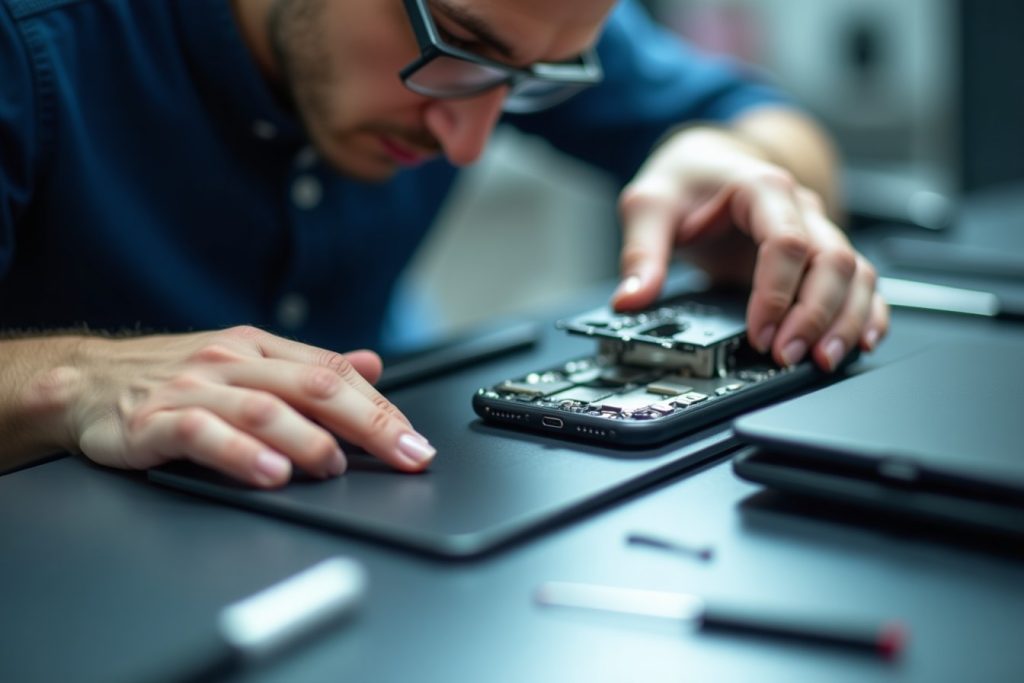
Face ID failing is one of those problems that goes from mildly annoying to genuinely disruptive fast — you’re locked out of apps, can’t approve payments, and keep having to type your passcode for everything. It can happen suddenly, or creep in gradually where recognition just gets less reliable over time.
The cause ranges from something as simple as a smudged sensor to something as involved as TrueDepth camera hardware damage, and the fix looks completely different depending on which one you’re dealing with.
| Quick AnswerFace ID typically stops working due to a dirty or obstructed TrueDepth sensor, a software glitch, a screen protector or case blocking the sensor area, or — most seriously — physical damage to the TrueDepth camera module, often from a drop or a screen replacement done without proper part calibration. Cleaning the sensor and restarting resolves minor cases; hardware issues need a technician. |
Key Takeaways
- The TrueDepth sensor area at the top of the screen needs to be completely clear — even a slightly misaligned case or protector can block it.
- Face ID failing right after a screen replacement is a common and recognizable pattern, usually tied to how the repair was done.
- A software update or reset fixes a meaningful share of Face ID issues without any hardware involvement.
- Face ID hardware damage from a drop often comes with other TrueDepth camera symptoms, like a non-functional front camera.
- Face ID repair requires precise calibration, which is why it’s not a simple part swap even when the cause is hardware.
How Face ID Actually Works
Face ID relies on the TrueDepth camera system — a cluster of sensors at the top of the screen including an infrared camera, a dot projector, and a flood illuminator. These work together to map your face in 3D. If any one of these components is blocked, damaged, or misaligned, Face ID can fail even if everything else about the phone works perfectly.
Common Causes, Ranked From Simple to Serious
- Dirty or smudged sensor area — skin oil, lotion, or dust on the sensor cluster at the top of the screen.
- Case or screen protector interference — even a slight misalignment can partially block the sensor.
- Software glitch — occasionally resolved with a simple restart or resetting Face ID in settings.
- Face ID stopped after a screen replacement — a strong sign the TrueDepth sensor wasn’t properly reconnected or calibrated during a previous repair.
- Physical damage to the TrueDepth module — usually from a drop, often accompanied by front camera issues too.
- Water damage affecting the sensor cluster — can cause intermittent or complete Face ID failure.
Diagnostic Table: What’s Likely Going On
Situation | Likely Cause | Fix |
Works sometimes, not others | Dirty sensor or partial obstruction | Clean sensor area, remove case/protector |
Stopped completely, no drop or repair history | Software glitch | Restart, reset Face ID in settings |
Stopped right after a screen replacement | Sensor not reconnected/calibrated correctly | Professional Face ID repair |
Stopped after a drop | TrueDepth hardware damage | Professional Face ID repair |
Front camera also stopped working | TrueDepth module damage | Professional Face ID repair |
Stopped after water exposure | Sensor or connector damage | Professional diagnostic needed |
Try These Before Booking a Repair
- Clean the top edge of the screen, including the small sensor cluster, with a dry microfiber cloth.
- Remove your case and any screen protector temporarily to rule out interference.
- Restart the phone completely.
- Go to Settings > Face ID & Passcode and try resetting Face ID, then re-enrolling your face.
If Face ID still fails after all of these, especially if it stopped right after a drop or a previous screen repair, it’s a hardware issue.
Why Face ID Sometimes Fails After Screen Replacement
The TrueDepth sensor cluster is a delicate, precisely calibrated component connected via a ribbon cable near the top of the display. A screen replacement done without care — or using parts that don’t preserve the original sensor housing — can disrupt this connection or the calibration Face ID depends on. This is one of the most common reasons phones come in with ‘Face ID stopped working after I got my screen fixed elsewhere,’ and it’s avoidable with proper repair technique.
Why This Repair Needs Precision
Unlike swapping a battery or a charging port, TrueDepth components require careful handling and calibration to function correctly afterward. A technician experienced specifically with Face ID repair reconnects and tests the sensor cluster properly, rather than just replacing a part and hoping it works.
What to Expect Getting It Fixed in Sharjah
If cleaning, restarting, and resetting Face ID haven’t resolved it, professional Face ID repair diagnoses whether the issue is the sensor connection, calibration, or hardware damage. Most cases are handled same-day, with a free quote and a 6-month parts warranty.
Frequently Asked Questions
Why did Face ID stop working after my screen was replaced elsewhere?
This usually means the TrueDepth sensor wasn’t properly reconnected or calibrated during that repair — a professional Face ID repair can correct this.
Can a dirty screen cause Face ID to fail?
Yes. Skin oil, dust, or lotion on the sensor cluster at the top of the screen is one of the most common and easily fixed causes.
Does removing my case help with Face ID issues?
It can, if the case is slightly misaligned or thick enough to partially cover the sensor area.
Is Face ID hardware repair different from a normal screen repair?
Yes. It requires careful handling and calibration of the TrueDepth sensor cluster, which is more precise than a standard screen or battery swap.
Can water damage affect Face ID even if the phone still works?
Yes, moisture can affect the sensor cluster or its connector even if the rest of the phone appears to function normally.
How much does Face ID repair cost?
It depends on the underlying cause, confirmed with a free quote once the phone is assessed.
The Bottom Line
Face ID failures range from a five-second cleaning fix to genuine hardware damage, and the pattern of when it stopped working is usually the biggest clue. If simple troubleshooting doesn’t bring it back, especially after a drop or a previous repair elsewhere, a proper diagnostic will pinpoint the cause. Bring it in for a free assessment and same-day Face ID repair, backed by a 6-month parts warranty.