Someone on a call says ‘I can’t hear you’ for the third time this week, or your music sounds like it’s playing through a pillow. Speaker and microphone problems are easy to mix up with each other, and both are easy to mix up with a software or connection issue — which matters, because the fix is completely different depending on which one it actually is.
This guide walks through a simple way to tell them apart before deciding whether it’s a two-minute fix or a repair.
| Quick AnswerIf sound during calls or media is muffled or quiet, it’s likely the speaker; if the other person can’t hear you clearly, it’s likely the microphone. Dust or lint blocking the speaker or mic port is the most common cause. If cleaning, checking Bluetooth connections, and restarting don’t help, the speaker or microphone component itself likely needs repair. |
Key Takeaways
- Dust and lint buildup in the speaker or microphone grille is the most common cause of muffled or reduced sound.
- Sound problems only during calls (not music or videos) usually point to the earpiece speaker specifically, not the main speaker.
- If the other person can’t hear you but you can hear them fine, the issue is almost always the microphone, not the speaker.
- A connected Bluetooth device can silently redirect audio, mimicking a broken speaker — always check this first.
- Speaker and microphone repair in Sharjah is typically a same-day service with a 6-month parts warranty.
Step 1: Figure Out Which One Is Actually the Problem
Speaker and microphone issues often get confused because both result in ‘bad call quality’ — but they’re separate components with separate fixes. The fastest way to tell them apart is to notice who’s having the problem hearing whom.
What’s Happening | Likely Component | Quick Check |
You can’t hear the other person on calls | Earpiece speaker or main speaker | Try speakerphone mode |
Music or videos sound muffled | Main (loud) speaker | Check speaker grille for debris |
The other person can’t hear you | Microphone | Try voice memo app to test recording |
Sound cuts in and out | Loose connector or software | Restart phone, check for updates |
No sound at all, any app | Possible Bluetooth redirect or mute switch | Check Bluetooth, mute/ring switch |
Crackling or distorted sound | Speaker damage, often from liquid exposure | Professional inspection needed |
Common Causes, From Simple to Serious
- Dust or lint in the speaker or microphone grille — the most common cause of muffled sound, easily checked visually.
- A connected Bluetooth device — headphones or a car system still connected can redirect audio without it being obvious.
- The ring/silent switch or a software mute setting left on accidentally.
- A software glitch — occasionally fixed with a simple restart.
- Liquid exposure — moisture in the speaker mesh causes crackling, distortion, or a rattling sound.
- A loose or damaged connector — often from a drop, causing intermittent sound.
- Full component failure — the speaker or microphone itself has physically worn out or been damaged.
Quick Checks Before Booking a Repair
- Check Bluetooth settings and disconnect any paired devices to rule out audio redirection.
- Check the physical mute/ring switch (on iPhone) or in-app mute settings.
- Inspect the speaker and microphone openings under good light for visible lint or debris.
- Use a voice memo or recording app to test the microphone specifically, separate from calls.
- Restart the phone to rule out a temporary software glitch.
Cleaning the Speaker or Mic Safely
If you can see debris in the grille, a soft, dry brush or a short burst of compressed air held at an angle can dislodge it without pushing it further in. Avoid inserting anything — needles, toothpicks, pins — directly into the speaker mesh, since the components behind it are delicate and easy to damage further.
When It’s Genuinely a Hardware Repair
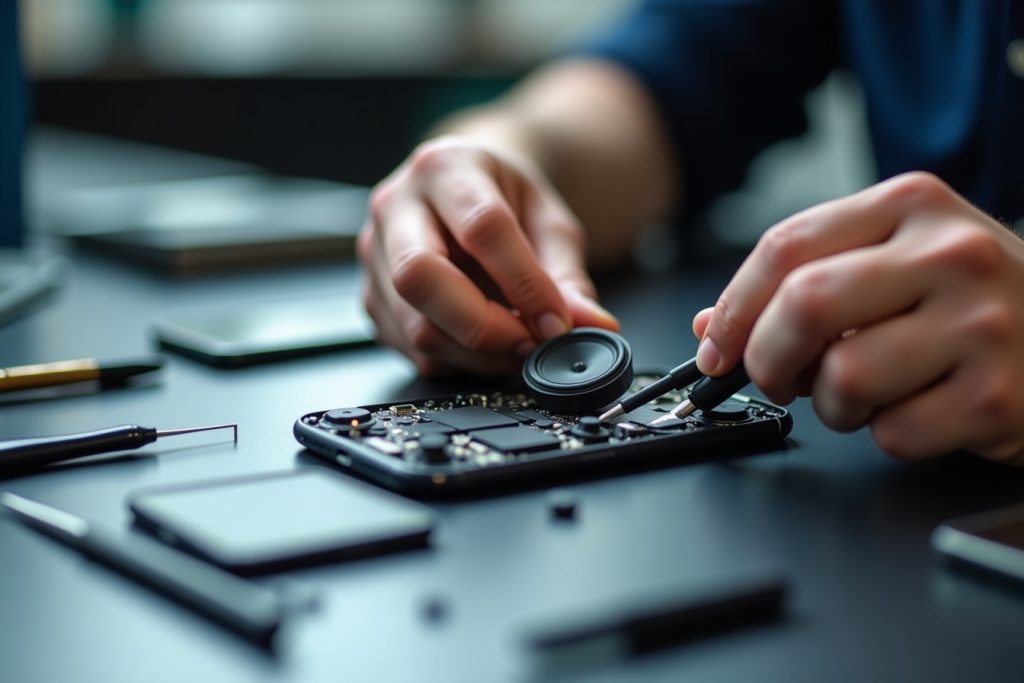
If cleaning and the quick checks above don’t resolve it, especially if the sound is crackling, distorted, or the phone has had any liquid exposure, the speaker or microphone component itself likely needs replacing. This is a contained repair — it doesn’t affect the screen, battery, or other components — and is usually completed quickly once diagnosed.
What to Expect Getting It Fixed in Sharjah
If the checks above don’t solve it, professional speaker and microphone repair is typically a same-day, walk-in service. A technician confirms which component is affected, provides a free quote, and every repair carries a 6-month parts warranty across all major phone brands.
Frequently Asked Questions
How do I know if it’s my speaker or my microphone that’s broken?
If you can’t hear the other person, it’s likely the speaker. If they can’t hear you but you can hear them fine, it’s likely the microphone.
Why does my phone sound muffled all of a sudden?
Dust or lint blocking the speaker grille is the most common cause — a gentle clean often resolves it immediately.
Can a Bluetooth connection cause speaker problems?
Yes, a phone can silently stay connected to a paired Bluetooth device, redirecting all audio away from the phone’s own speaker.
Is it safe to clean my phone’s speaker myself?
Yes, with a soft dry brush or compressed air at an angle. Avoid inserting sharp objects directly into the speaker mesh.
Can water damage affect just the speaker and nothing else?
Yes, it’s possible for moisture to affect only the speaker or microphone mesh while the rest of the phone continues working normally.
How long does speaker or microphone repair take?
Most speaker and microphone repairs are completed the same day, with walk-in service and no appointment required.
The Bottom Line
Speaker and microphone issues feel similar but usually come down to a clear, checkable difference — who can’t hear whom. A surprising number of cases resolve with a quick clean or a Bluetooth disconnect. When it’s genuinely a hardware fault, it’s a contained, same-day repair. Bring it in for a free assessment, backed by a 6-month parts warranty.