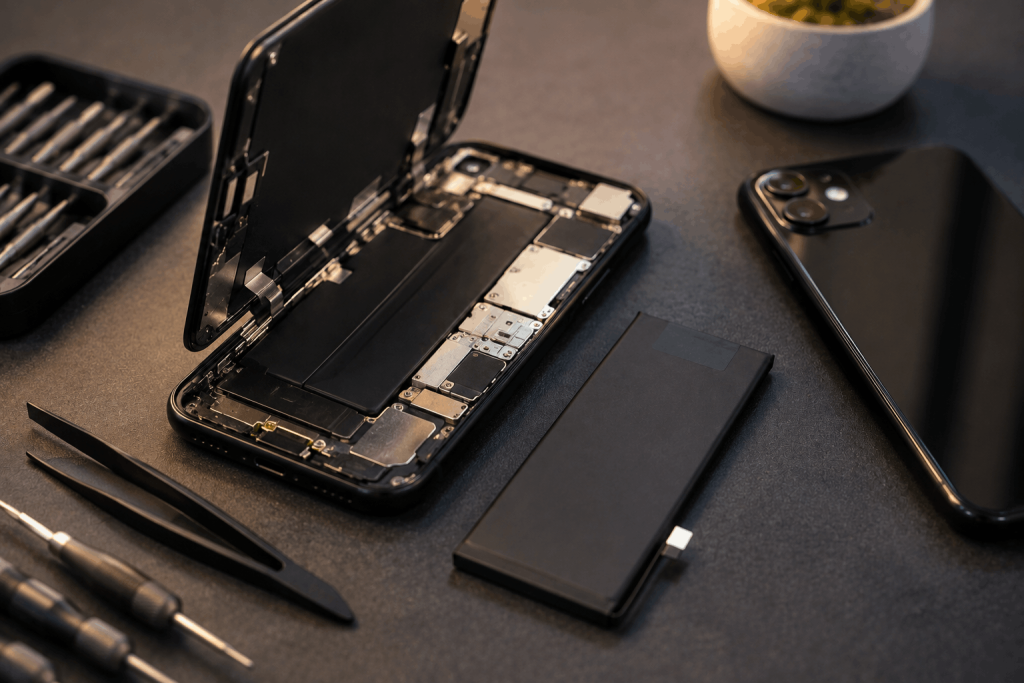
Your phone used to comfortably last a full day. Now you’re reaching for the charger by lunchtime, or worse, it shuts off at 20% like it’s already empty. That’s not your imagination — batteries wear out, and there’s a predictable pattern to how they fail.
The tricky part is that a fading battery can look like a dozen other problems — a bad app, an old software update, even a failing screen. Knowing the real signs saves you from chasing the wrong fix.
| Quick AnswerYour phone battery needs replacing when it drains noticeably faster than before, shuts down unexpectedly above 0%, takes much longer to charge, feels warm during normal use, or physically bulges. A battery health reading below roughly 80% in your phone’s settings is a reliable confirmation alongside these symptoms. |
Key Takeaways
- Rapid battery drain and random shutdowns above 0% are the two most common early warning signs.
- A phone that feels warm or swollen is a safety concern, not just a performance issue, and should be checked immediately.
- Most phones let you check a battery health percentage directly in settings — a useful confirmation alongside physical symptoms.
- Slow charging that gets worse over time usually points to the battery itself, not the charger or cable.
- Battery replacement in Sharjah is typically same-day, walk-in, and covered by a 6-month parts warranty.
Why Phone Batteries Wear Out
Every rechargeable battery is built around a limited number of charge cycles — a full drain-and-recharge cycle. Somewhere around 300 to 500 cycles, most phone batteries start losing their ability to hold a full charge, and the effects become noticeable in daily use rather than all at once.
That’s a normal part of owning a phone for more than a year or two. The question isn’t whether it will happen, but recognizing when it has.
7 Signs Your Battery Needs Replacing
- Rapid battery drain — the phone loses charge noticeably faster than it used to, even with the same apps and usage habits.
- Random shutdowns above 0% — the phone powers off suddenly at 20%, 30%, even 50%, because the battery can no longer deliver stable power under load.
- Battery health below 80% — visible directly in your phone’s settings menu, this is the clearest technical confirmation.
- Slow or inconsistent charging — the phone takes far longer to charge than it used to, or the percentage climbs unevenly.
- The phone feels warm during normal use — not just during charging or gaming, but during ordinary tasks like browsing or texting.
- Visible swelling — the back panel or screen appears to be lifting or bulging, a sign the battery is physically deforming.
- Performance throttling — the phone feels sluggish or apps close unexpectedly, which some devices trigger automatically to protect a weak battery.
How Serious Is Each Sign?
Not every symptom needs the same urgency. Here’s a rough guide:
| Sign | Urgency | Safe to Keep Using? |
| Rapid drain | Low – Moderate | Yes, for now |
| Random shutdowns | Moderate | Yes, but inconvenient |
| Battery health below 80% | Moderate | Yes |
| Slow charging | Low | Yes |
| Warm during normal use | Moderate – High | Use with caution |
| Visible swelling | High | No — stop using immediately |
A Swollen Battery Is a Different Situation
If you notice your phone’s back cover lifting, the screen separating slightly from the frame, or the device sitting unevenly on a flat surface, stop using it and avoid charging it further. A swollen battery is a genuine safety risk — it means gas has built up inside the battery cell, and continuing to charge or use the phone increases the chance of the battery rupturing or overheating. This is one case where getting it looked at quickly matters more than convenience.
Battery Drain vs. Other Causes
Before assuming it’s the battery, it’s worth ruling out a couple of common look-alikes:
- A recent software update can temporarily increase battery usage while the phone re-indexes apps — this usually settles within a few days.
- One specific app running in the background constantly can drain a healthy battery fast; check your battery usage breakdown in settings first.
- Extreme heat or cold can make even a healthy battery perform poorly temporarily, without indicating actual wear.
If the drain is consistent across multiple days, isn’t tied to one app, and happens in normal temperatures, it’s genuinely the battery.
Why Delaying Replacement Costs You More
A weakening battery doesn’t just mean more charging — it puts extra strain on the phone’s charging circuitry as it works harder to compensate for reduced capacity. Left unaddressed long enough, this can contribute to charging port wear or, in worse cases, damage to the motherboard’s power management components, turning a simple battery swap into a larger repair.
What to Expect Getting It Fixed in Sharjah
If two or more of the signs above sound familiar, professional battery replacement is a walk-in, same-day service — most phones are ready the same day you bring them in. Pricing is confirmed with a free quote based on your exact model, every replacement carries a 6-month parts warranty, and it covers all major phone brands.
Frequently Asked Questions
How do I check my phone’s battery health?
Most phones have a battery health option in the settings menu, usually under Battery or Battery Health, which shows the current maximum capacity as a percentage of the original.
Is it normal for an old phone’s battery to drain fast?
Yes. Batteries naturally lose capacity after hundreds of charge cycles, so faster drain in an older phone is expected wear, not necessarily a defect.
Can a swollen battery explode?
It’s rare, but a swollen battery is under internal pressure and continuing to charge or use it increases risk. It should be stopped from charging and replaced as soon as possible.
Will replacing the battery make my phone feel new again?
It restores battery life and charging performance close to original, though it won’t affect unrelated wear like screen condition or software speed.
How much does battery replacement cost in Sharjah?
Pricing depends on the phone model, so it’s confirmed with a free quote once the device is assessed rather than a fixed price upfront.
How long does battery replacement take?
Most battery replacements are completed the same day, with walk-in service and no appointment required.
The Bottom Line
A battery that can’t hold a charge the way it used to is one of the most common — and most fixable — phone problems out there. Catching the signs early, especially before swelling starts, keeps it a simple, affordable repair. If your phone is showing two or more of these signs, bring it in for a free assessment and same-day battery replacement, backed by a 6-month parts warranty.